The smarter way to final expense.
Declinethe declines.
The right carrier. The right coverage. Before the wrong application.
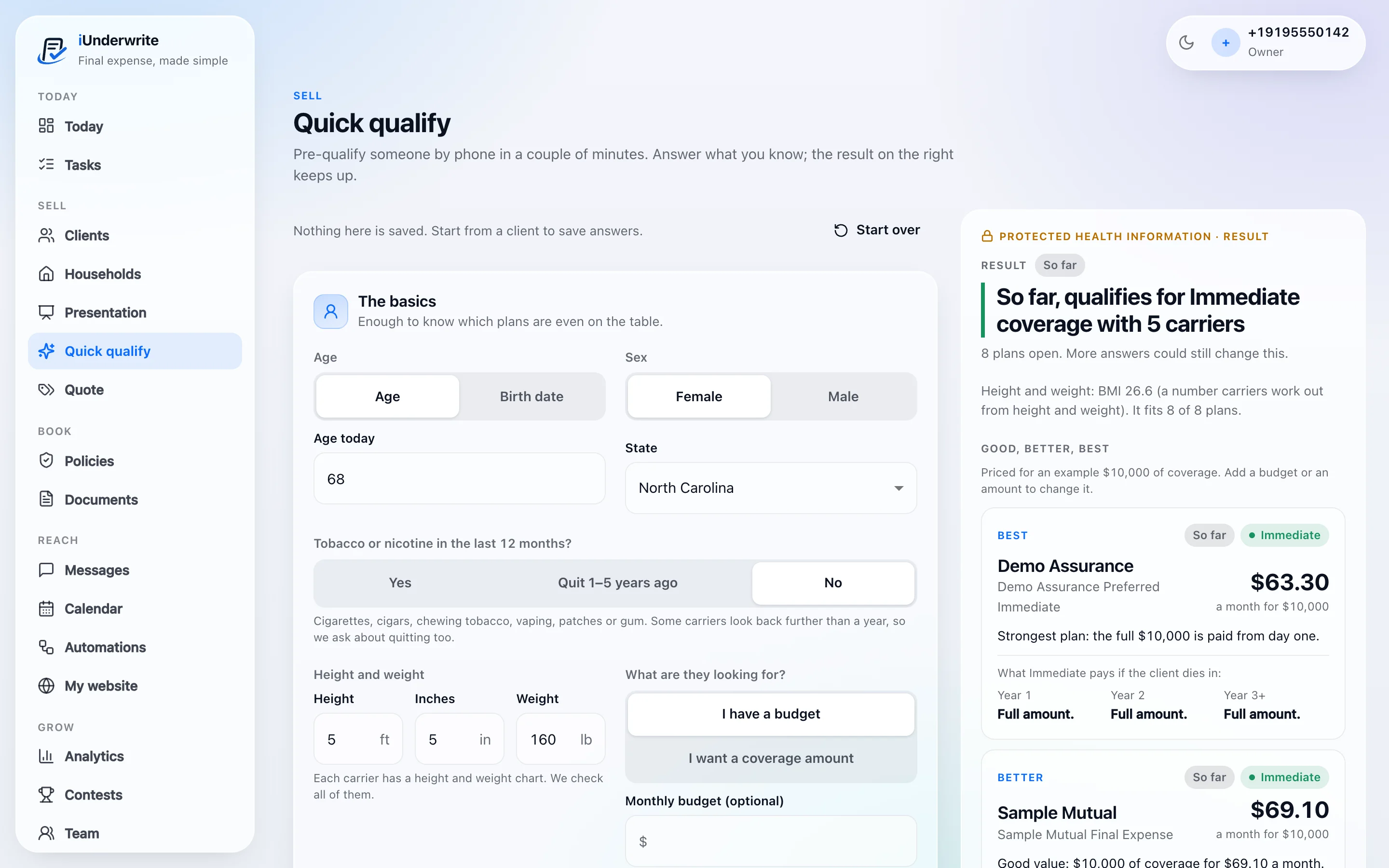
Quick qualify in iUnderwrite, shown with sample carriers and a fictional applicant. Results are a guide to where a case may fit, not a carrier’s underwriting decision.
Eligibility
Pre-existing conditions.Meet pre-existing solutions.
Every health history tells a different story. Find the plans that fit before you submit.
Health questions, one at a time
Only the ones that can still change the answer.
Medications
A prescription can point to a condition nobody mentioned.
Plans that are still open
The list updates with every answer you give.
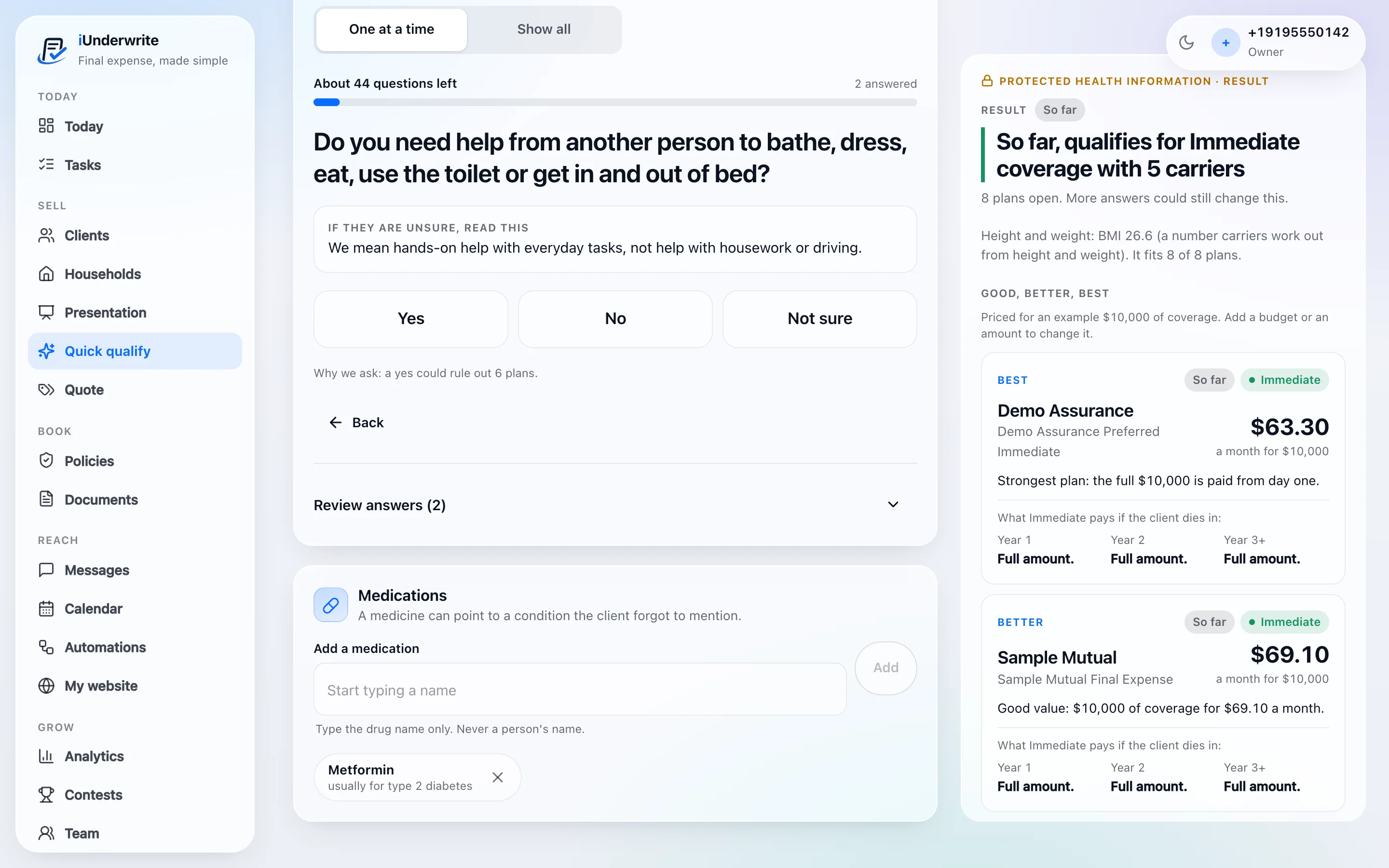
Your client’s history. A clearer path forward.
Eligibility in iUnderwrite is indicative only. The carrier makes the underwriting decision.
Quoting
We compare rates.Not patience.
Compare premiums, coverage, and carrier options without the usual back-and-forth.
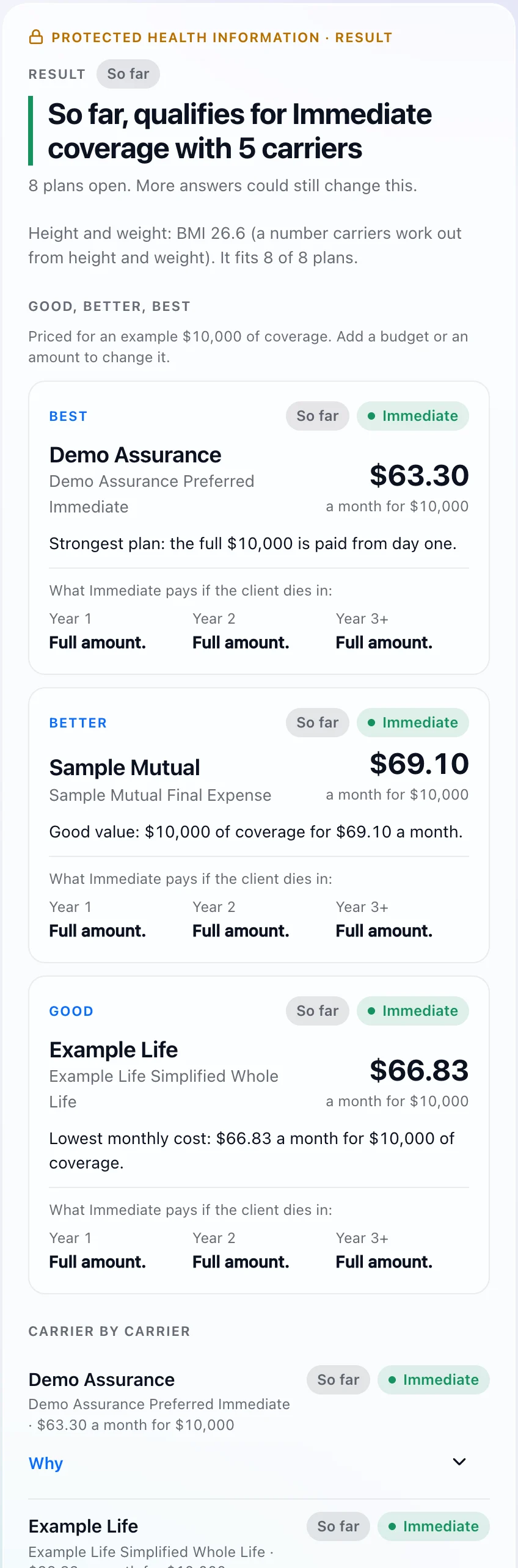
Start from a budget or a coverage amount
Whichever the client gave you first.
Premiums, side by side
Good, better and best, priced for the same person.
What each plan actually pays
Year one, year two and after, in plain words.
The right quote speaks for itself.
Shown with sample carriers and sample prices. The carriers and products you see depend on your configured access.
Less paper.More policy.
Less time buried in forms. More time getting clients covered.
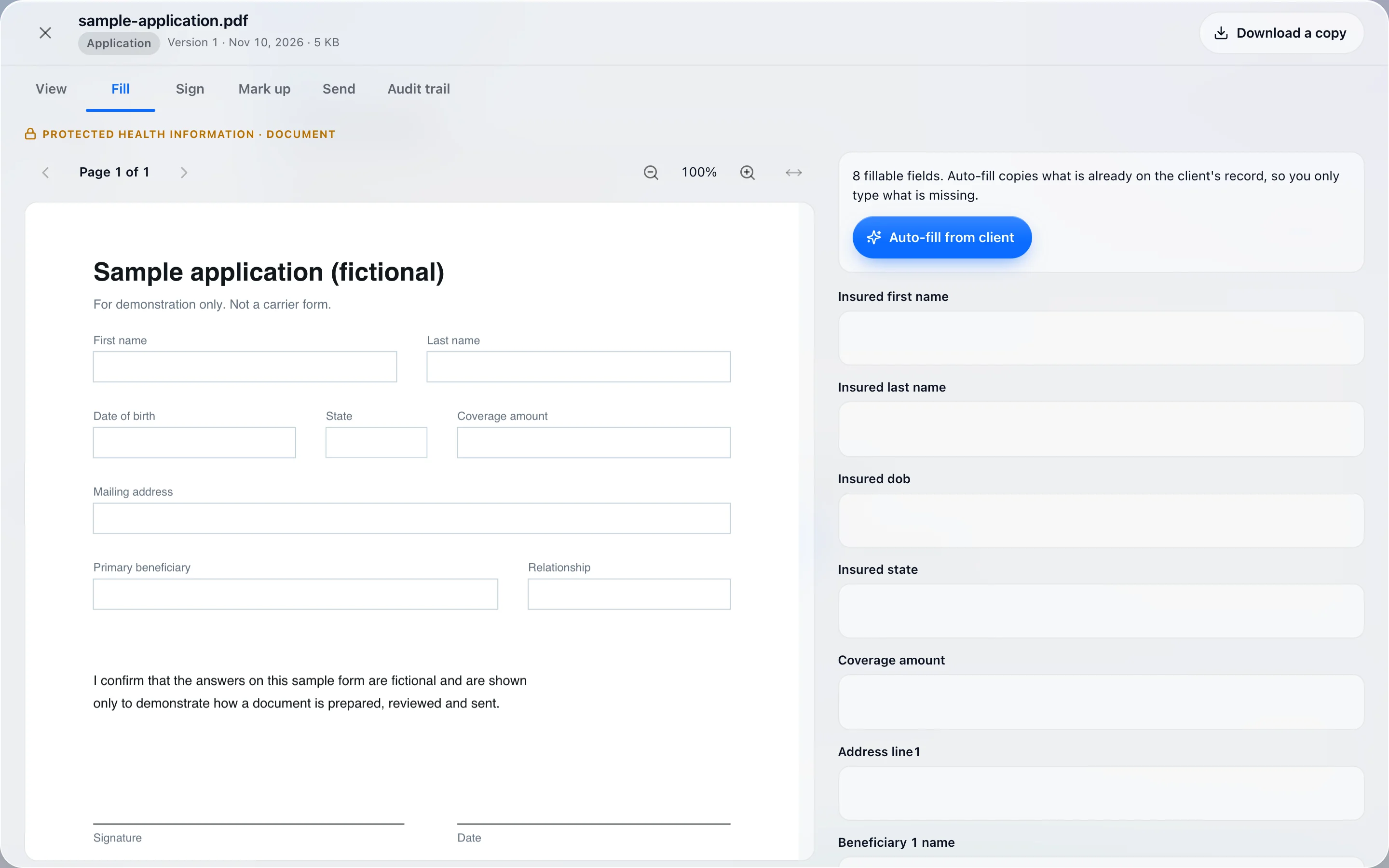
Fill
Type straight onto the form, with the client’s details carried in.
Sign and mark up
On the same document, without printing it first.
Keep track
Every document sits with its client, with a trail of what happened to it.
We’ve got a policy against busywork.
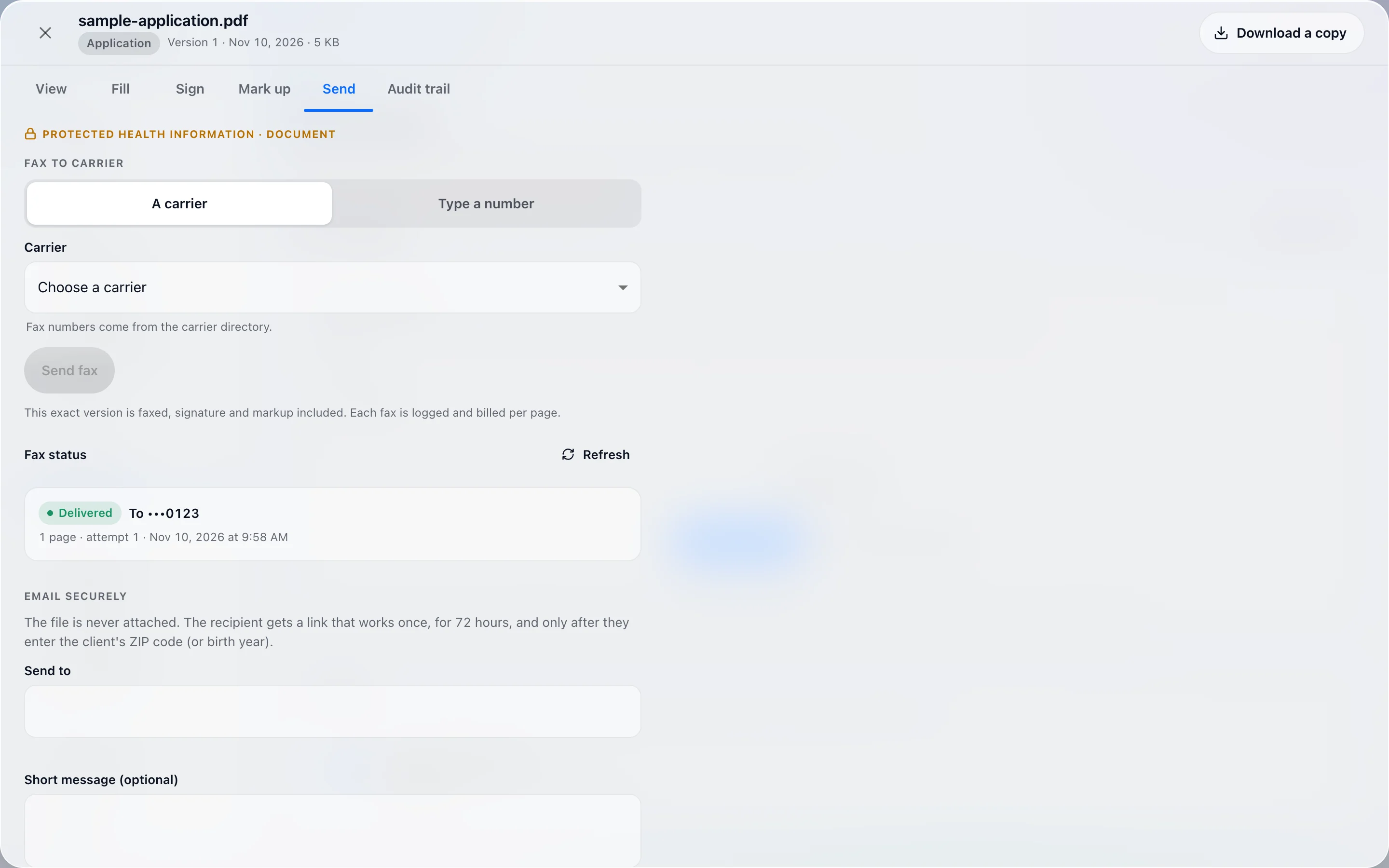
Faxing
Faxing called.We answered.
Insurance still runs on faxes. Your workflow doesn’t have to feel like 1998.
Send a document to a carrier from the screen you prepared it on, and see its status when it lands.
Old-school requirement. New-school execution.
Faxing depends on the services enabled for your account.
Workspace
Your tabscan retire now.
Quoting, documents, and daily insurance work. Finally, a place for everything.
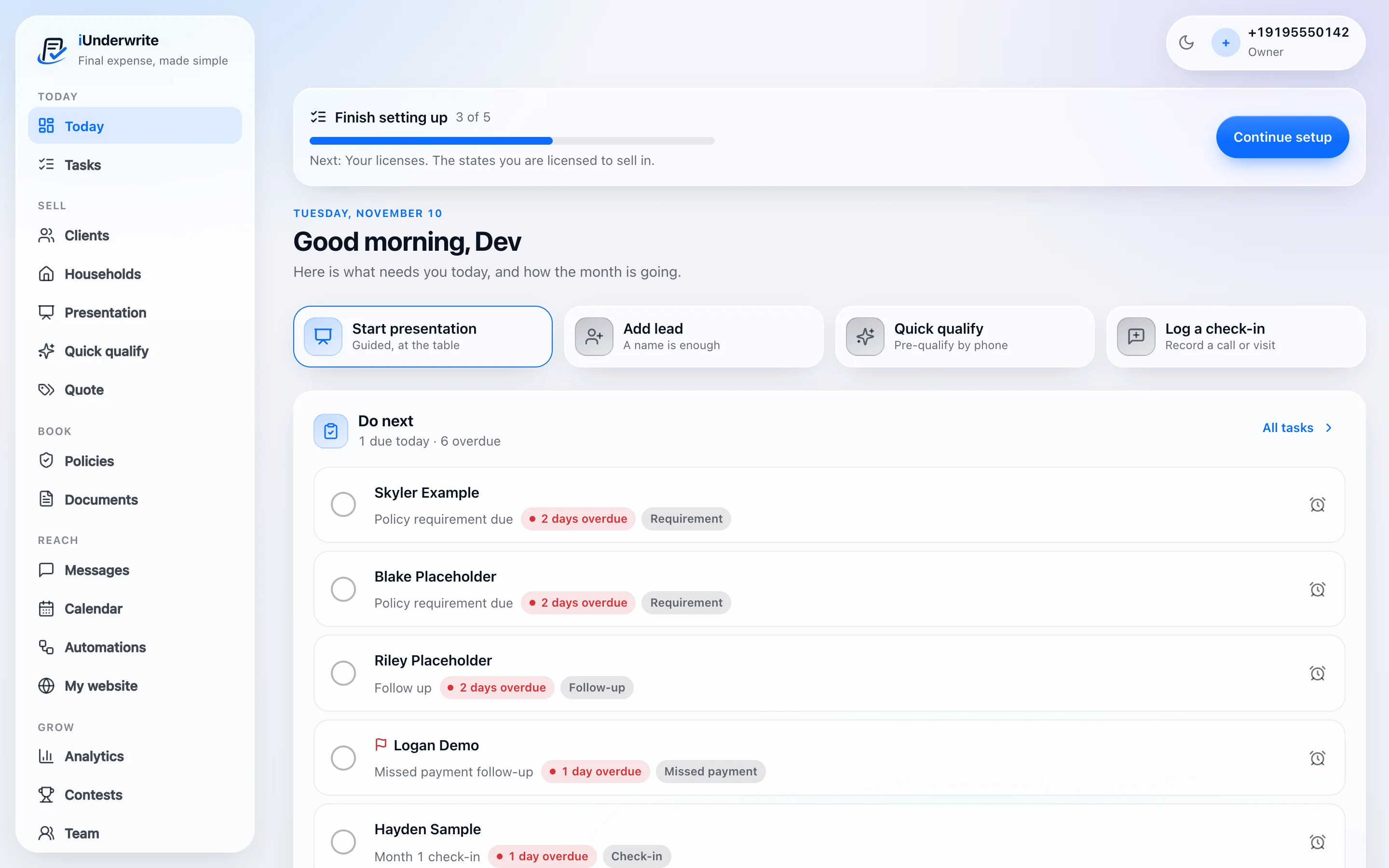
Everything in its place. Including your sanity.
How it works
Life is short.So is our process.
Everything you need to get from client details to clearer coverage options. Without the unnecessary steps.
Enter the details.
Age, state, height and weight, and the health answers you have.
Find your options.
See which plans are still open and what they cost.
Handle the paperwork.
Fill the form, sign it and send it from the same place.
FAQ
Questions? Fair enough.
Here’s the short version.
What is iUnderwrite?
iUnderwrite is an insurance workflow platform designed to make quoting, preparing forms, and faxing documents simpler.
Who is iUnderwrite for?
Insurance professionals who want less software friction and more time to focus on their clients.
Can I send forms by fax?
iUnderwrite supports faxing through its document workflow, subject to the features and services enabled for your account.
Can I compare insurance quotes?
iUnderwrite helps you work with available quoting options through a streamlined interface. Available insurance products and carriers depend on your configured access.
Is iUnderwrite difficult to learn?
We believe good software should make sense without a treasure map. Our interface is designed around clarity and ease of use.
More policies.Fewer plot twists.
Spend less time second-guessing eligibility and managing paperwork. More time helping clients find the coverage they need.
Because “probably approved” isn’t a plan.